Nano Banana Pro 2

Nano Banana Pro 2 is an advanced AI image generation and editing model that combines world knowledge, advanced text rendering, multilingual capabilities, and precise creative control. Generate images in up to 4K resolution, from individual product photos to cohesive visual campaigns with consistent subjects.

Nano Banana Pro 2

0/10

Drag or click to upload up JPG, PNG, or WEBP images

0 / 5000
Credits required:
5
1 / 4

What Is Nano Banana Pro 2?

Nano Banana Pro 2 is an AI image generation and editing experience built around understanding the whole creative brief. Describe a place, a product, a character or an idea, then direct how it should appear. Its focus is the connection between world knowledge and visual detail: how a scene is arranged, what its text communicates, which features belong to a recurring subject and where your next revision should take the image. Use it to develop photographic visuals, illustrated explanations, campaign concepts and reference-guided edits with a clear purpose.

Key Features of Nano Banana Pro 2

The strongest images do more than look convincing. Their setting makes sense, their message reads clearly and their details follow the direction you intended.

World Knowledge That Gives a Scene Its Context

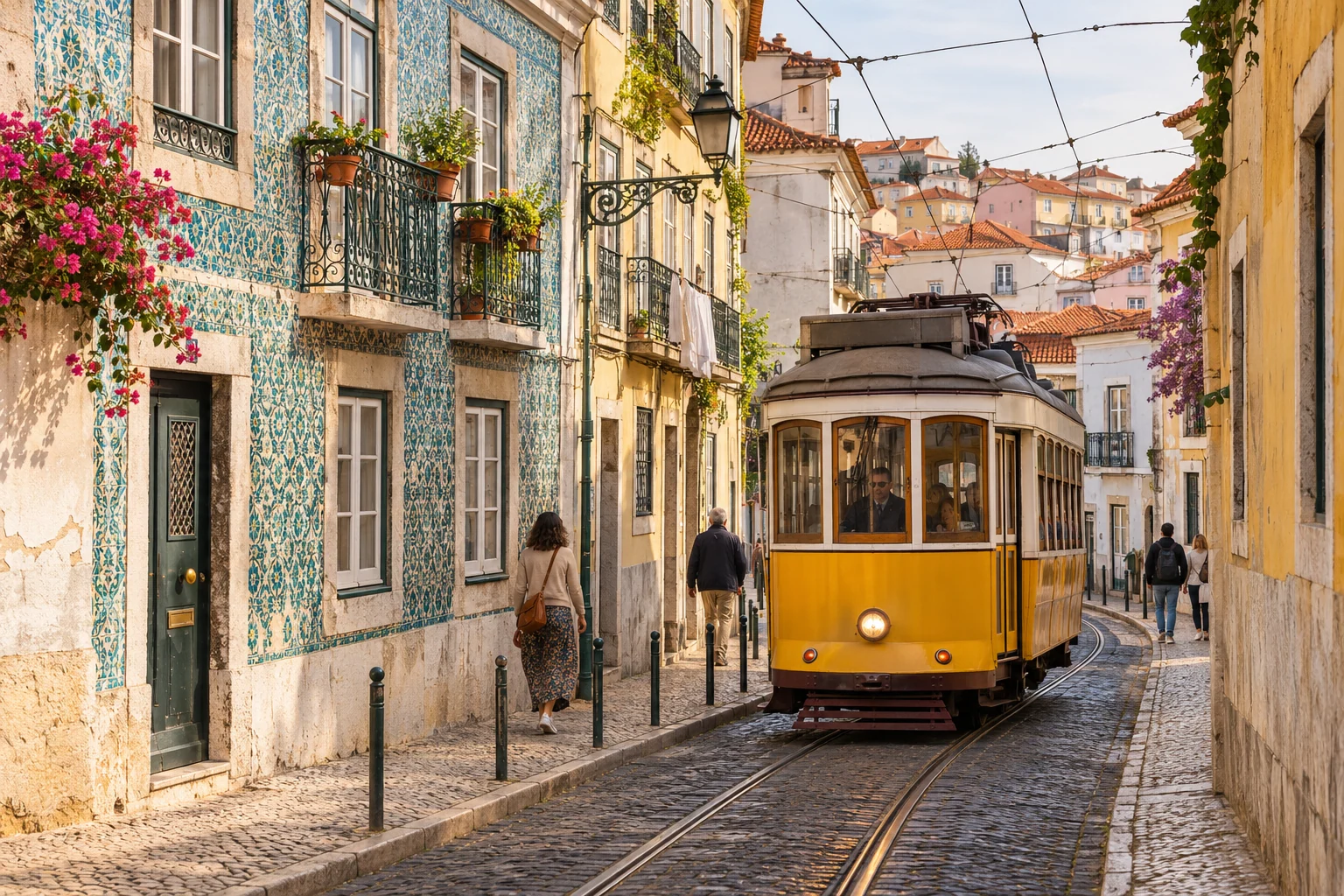
A Lisbon street is more than a yellow tram. Tilework, overhead wires, building proportions and the way the tracks follow the street all help the setting feel connected. Nano Banana Pro 2 puts broad world knowledge at the center of the brief, helping you describe recognizable places, objects and relationships. Develop travel imagery, historical concepts or visual explanations with details that serve the subject, then check any facts essential to your project.

Try it Now
Yellow Lisbon tram on cobbled tracks beside Portuguese tiled buildings, balconies and overhead wires

Text and Language That Belong in the Design

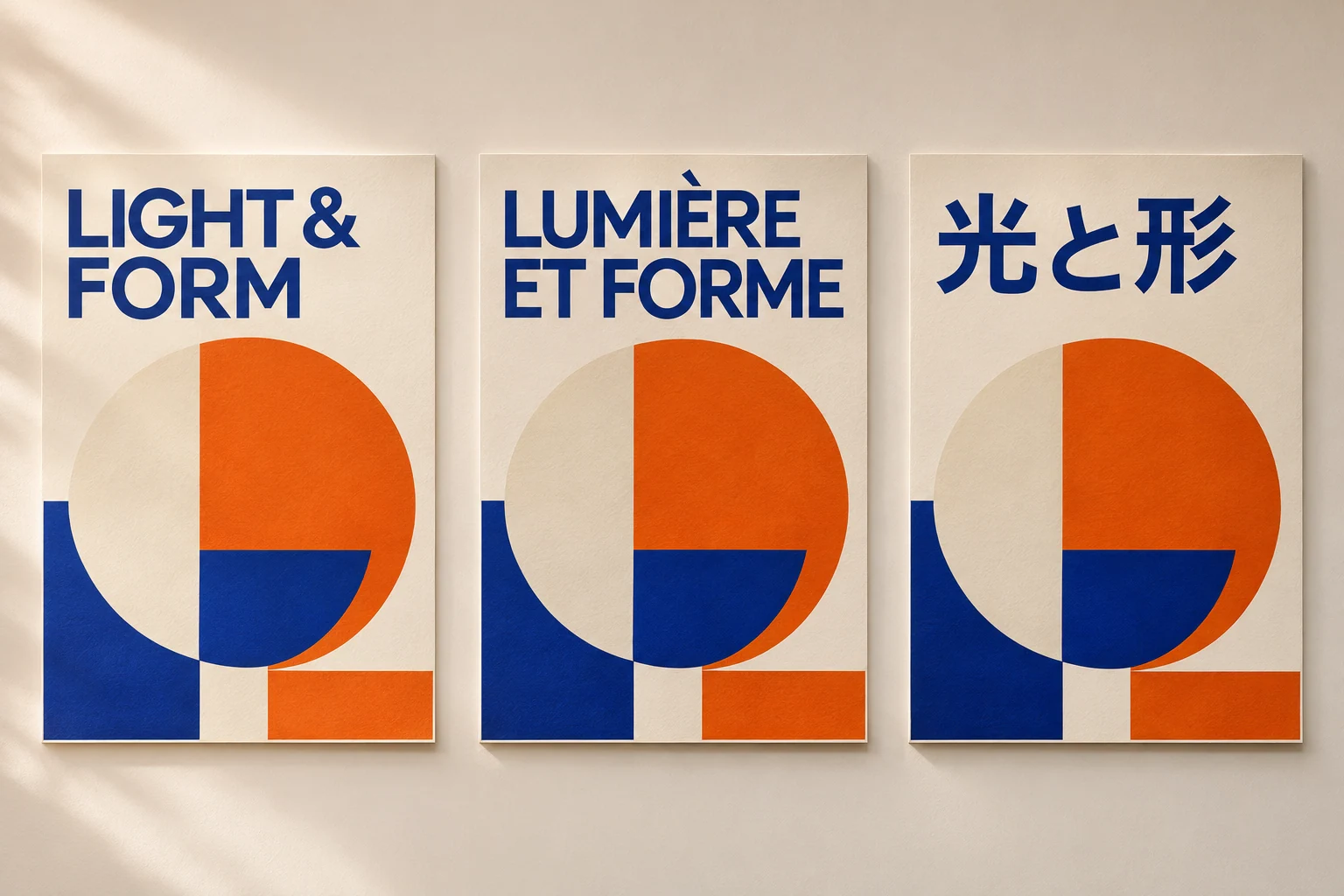
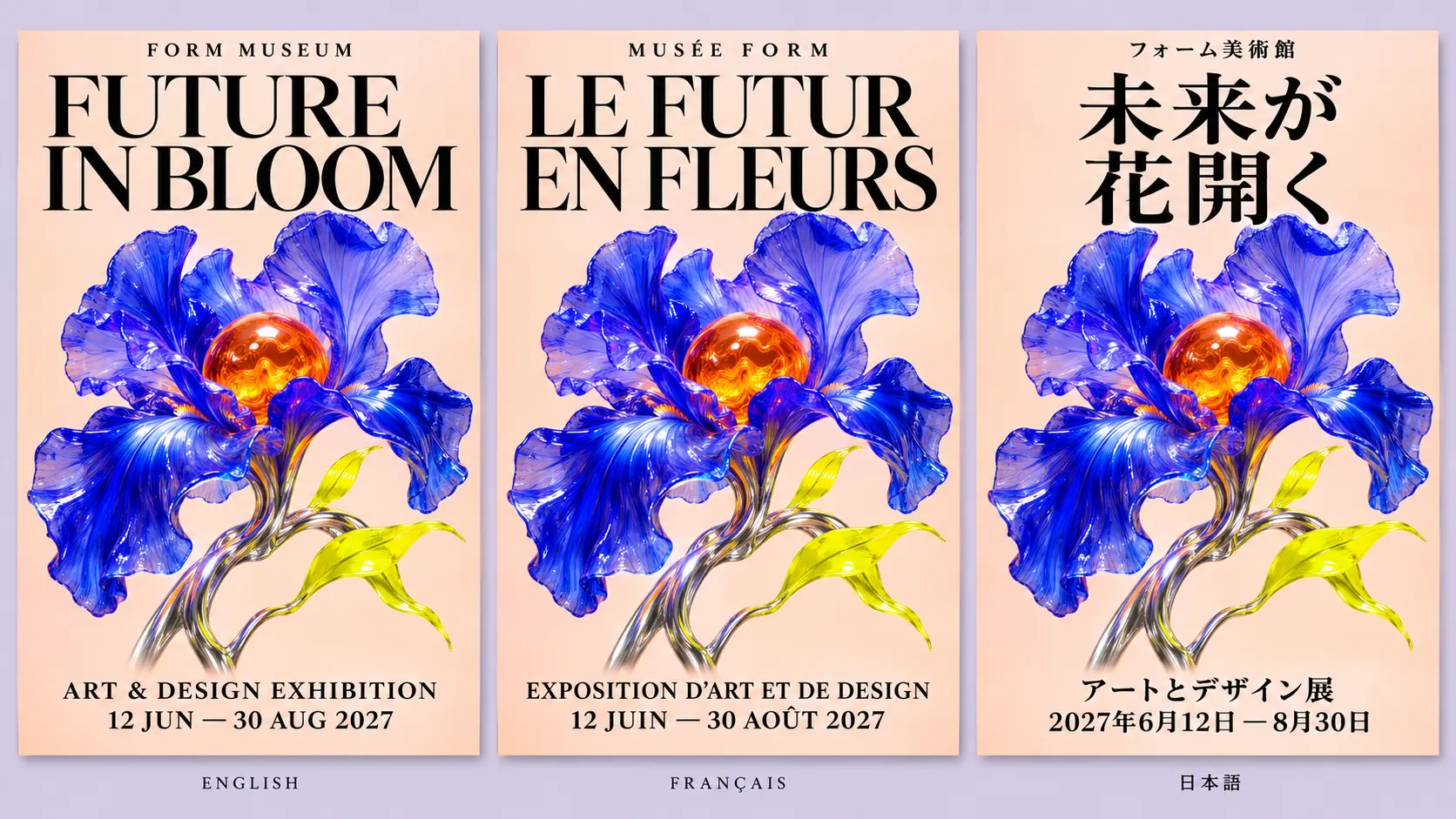
Turn a headline into part of the composition. Give Nano Banana Pro 2 the exact wording, language and placement for an exhibition poster, package or campaign image. Advanced language understanding helps connect the message with its visual hierarchy, from a large title to a short supporting label. For localized creative work, keep the design direction consistent while adapting the words for each audience. Review spelling, accents and small text before publishing.

Try it Now
Matching exhibition posters reading LIGHT & FORM, LUMIÈRE ET FORME and 光と形 in English, French and Japanese

A More Consistent Subject across Your Story

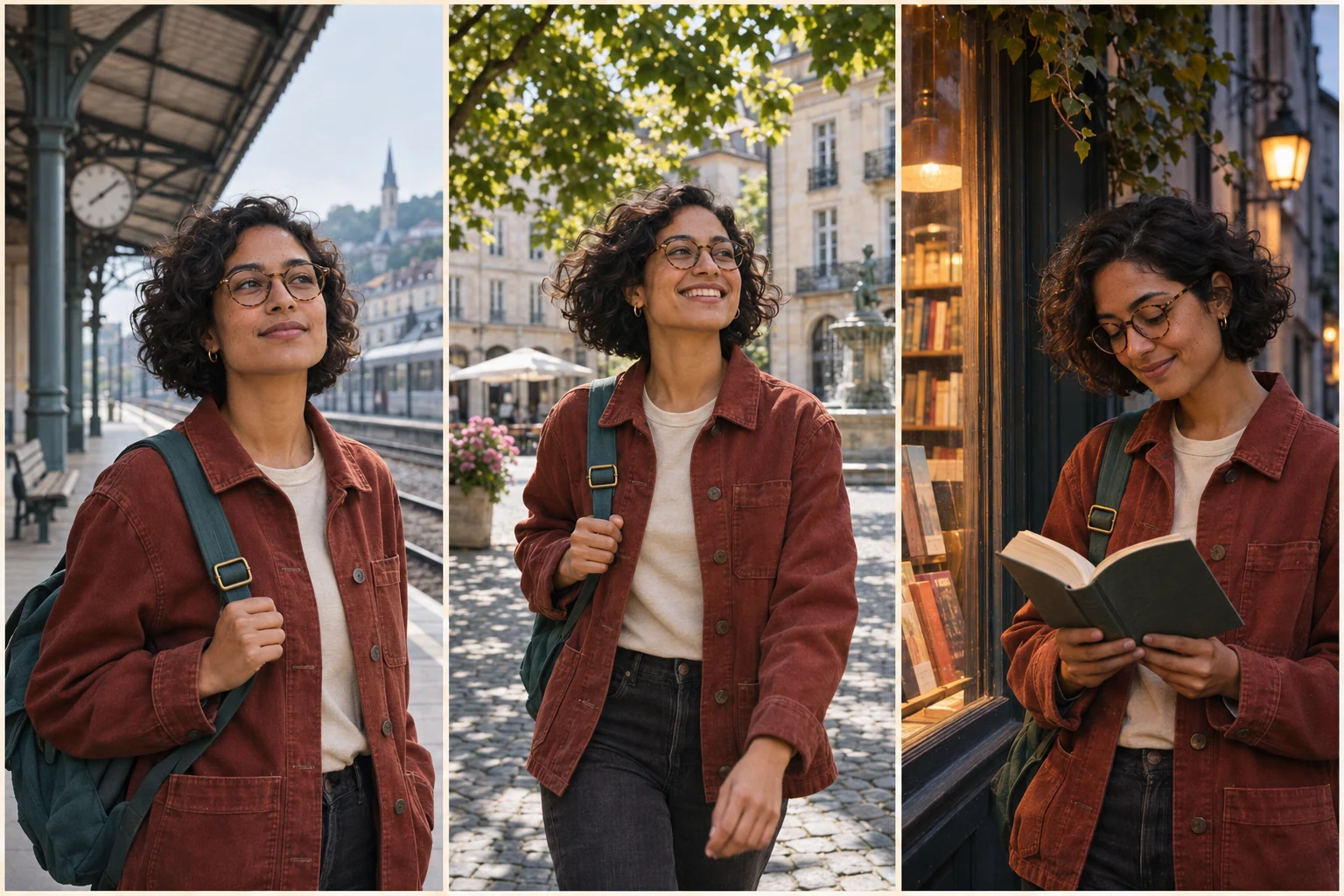
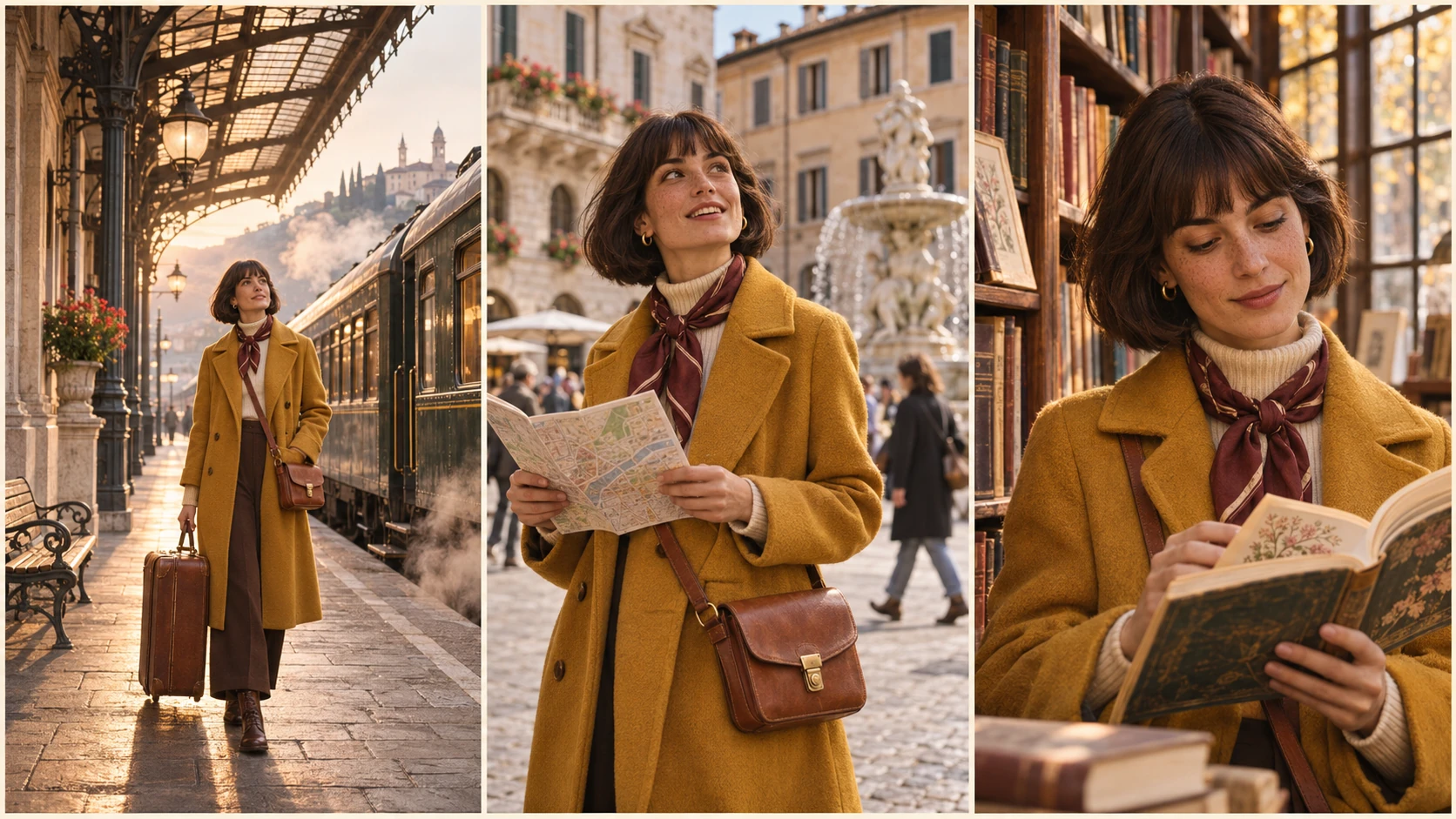
Carry a recognizable character, product or visual identity through a series of images. Name the details that define it: a face, a jacket, a bottle silhouette or a particular color palette. Use references and focused instructions to keep those details in view as the setting, lighting or framing changes. Nano Banana Pro 2 makes consistency a central part of the workflow, useful for storyboards, editorial sequences and campaigns that need to feel related.

Try it Now
The same fictional woman with curly hair, round glasses, a rust-red jacket and teal backpack in three editorial scenes

Precise Creative Control, from Camera to Last Detail

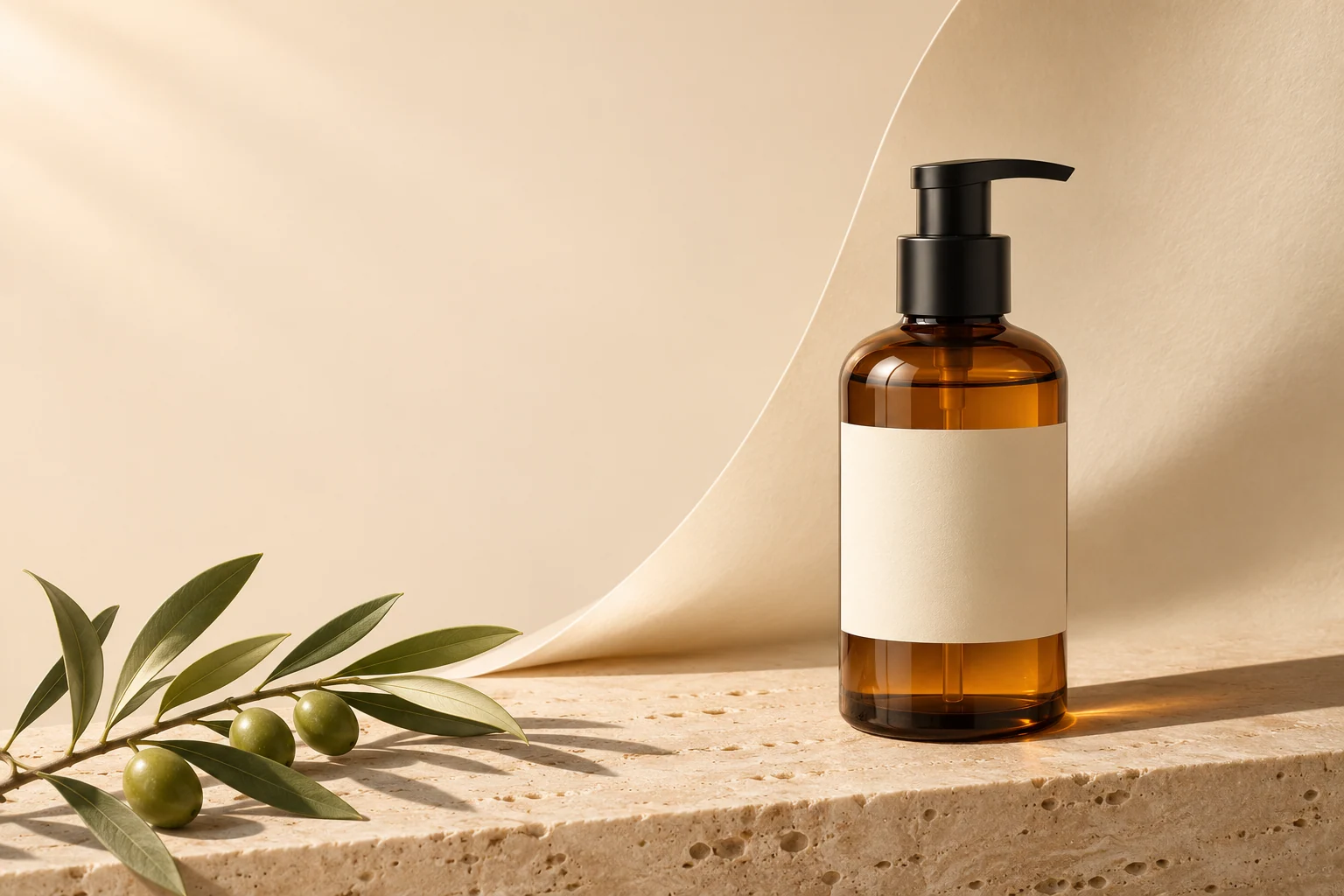
Direct the choices that shape the finished image. Put the product in the right third, leave clean space for a headline, bring soft light from the upper left and specify how the background should fall away. With Nano Banana Pro 2, describe composition, perspective, materials and lighting as one connected instruction. For edits, separate what should change from what should stay so each revision develops the image you already have.

Try it Now
Amber bottle on a travertine plinth at right, an olive branch at lower left and clean cream space for campaign copy

How to Create with Nano Banana Pro 2

Start with the purpose of the image, then build the subject, message and visual direction around it.

1

Write the Brief and Add References

Open Nano Banana's image generator with Nano Banana Pro 2 selected. Describe what you are making and who it is for. Add reference images when a product, character or existing composition should guide the result, and explain what each reference contributes.

2

Set the Layout, Words and Visual Direction

Choose an available aspect ratio and resolution. Describe the framing, subject placement, materials and light. Put any in-image text in quotation marks, specify its language and position, and name the details that should remain consistent.

3

Generate, Review and Refine

Generate an image and review it against the brief. Check the wording, subject details and relationships in the scene. Use a focused edit to develop the result, then download the version that fits your project.

Nano Banana Pro vs Nano Banana Pro 2

Both belong in an image creation workflow. Nano Banana Pro 2 places the emphasis on knowledge-rich briefs, expressive language, connected subjects and more deliberate art direction.

Creative focusNano Banana ProNano Banana Pro 2
World knowledgeContext-aware generation for recognizable subjects, scenes and visual ideas.A stronger focus on rich context: the setting, objects and relationships that make a detailed brief coherent.
Text and languageNatural-language prompting and in-image text for posters, product images and everyday design work.Advanced text and language direction for intentional typography, nuanced instructions and localized creative concepts.
Subject consistencyReference-guided character and product imagery, with details reviewed across revisions.Consistency as a central part of planning recurring characters, product families and connected campaign visuals.
Creative controlDescribe a scene, visual style or focused edit in natural language.Build a more detailed brief around camera angle, object placement, lighting, materials and the elements to preserve.
Generation and editingCreate from text or use image references to guide a new version.Create from text or references, then refine the same creative direction through focused edits.
Output settingsAvailable 1K, 2K and 4K resolution options and aspect-ratio controls.The same available 1K, 2K and 4K resolution options and aspect-ratio controls.
A useful starting projectA standalone product shot, portrait concept or individual image edit.A multilingual campaign, recurring-character story or detailed visual concept that needs a shared direction.

Best Uses for Nano Banana Pro 2

Bring a clear visual idea into advertising, storytelling, learning and design. These creative concepts show how the four capabilities can work together in practical briefs.

A directed amber-bottle product photograph with travertine, olive leaves and space for advertising copy

Product Photography and Campaign Art

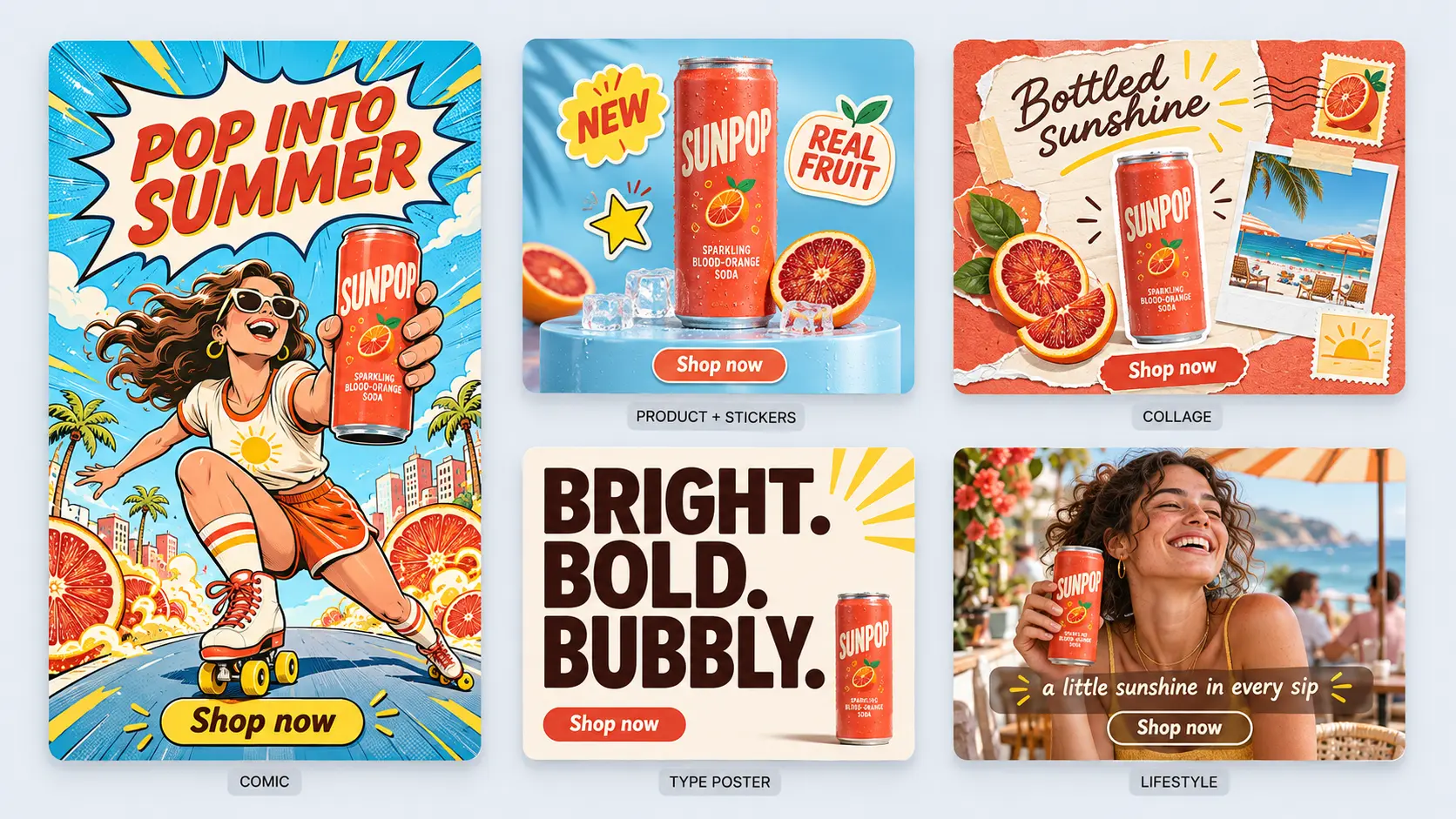
Explore product launches, storefront imagery and advertising concepts. Give the product a defined place in the scene, choose the surface and light, and leave room for the message. Use the product reference to guide its shape and important details across the campaign.

One exhibition poster design adapted into English, French and Japanese

Multilingual Posters and Localized Creative

Develop one campaign direction for several audiences. Specify the exact wording for each language, keep the visual hierarchy recognizable and explore how the typography fits the same artwork. Useful for exhibition concepts, social campaigns and packaging studies.

A recurring fictional character across a railway platform, leafy square and evening bookshop scene

Characters, Storyboards and Editorial Series

Plan a sequence around a recognizable subject. Carry the same face, wardrobe and accessories from a railway platform to a city square and a bookshop, while directing the mood and camera position for each scene. Review the set as a whole before choosing your final images.

Lisbon travel concept with a yellow tram, blue-and-white tiles and a narrow cobbled street

Travel and Place-Based Storytelling

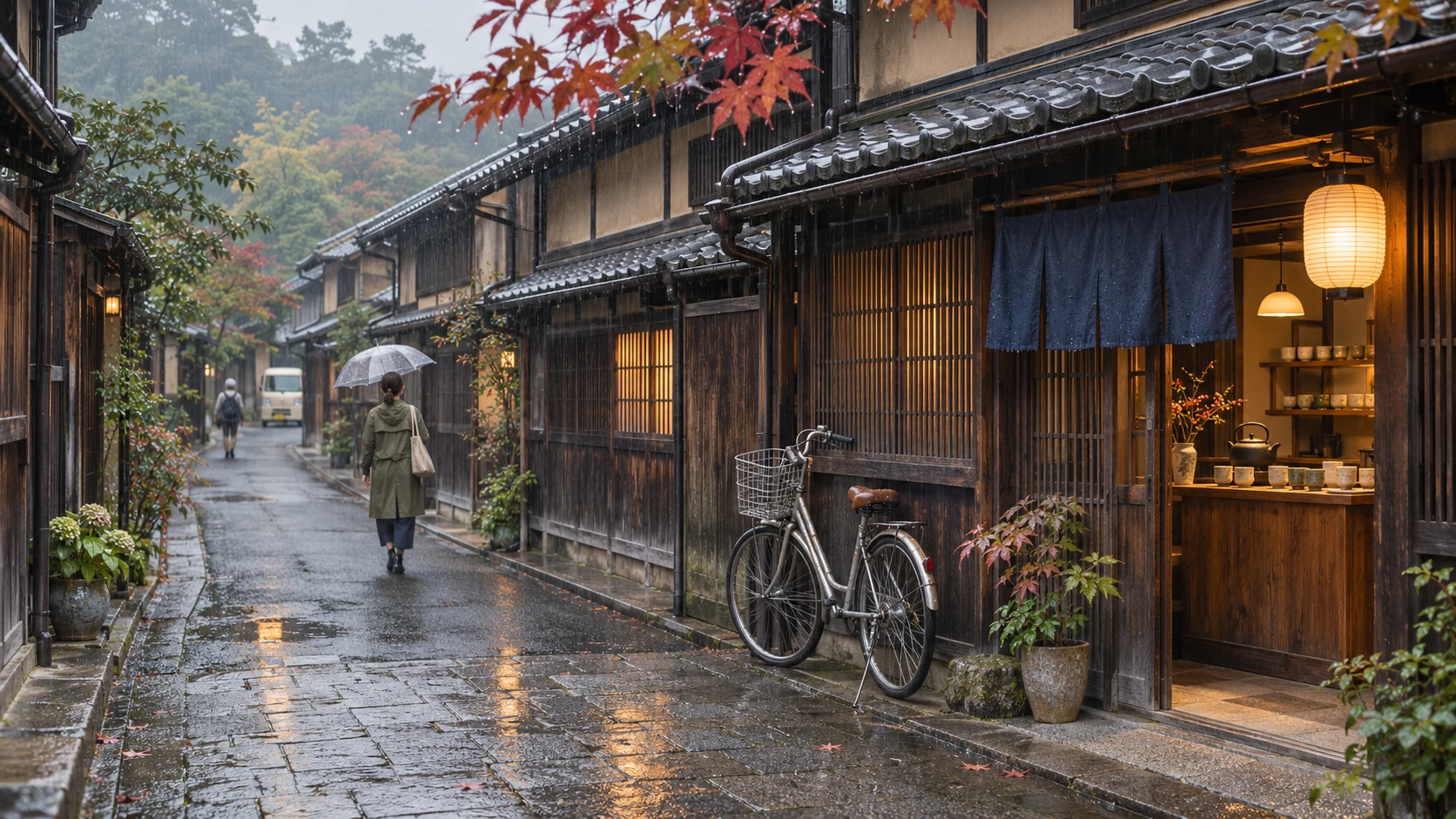
Build an editorial image around the details that give a place its identity. Describe local architecture, transport, materials and atmosphere together, rather than relying on a location name alone. Use world knowledge to inform the brief and check culturally or historically important details.

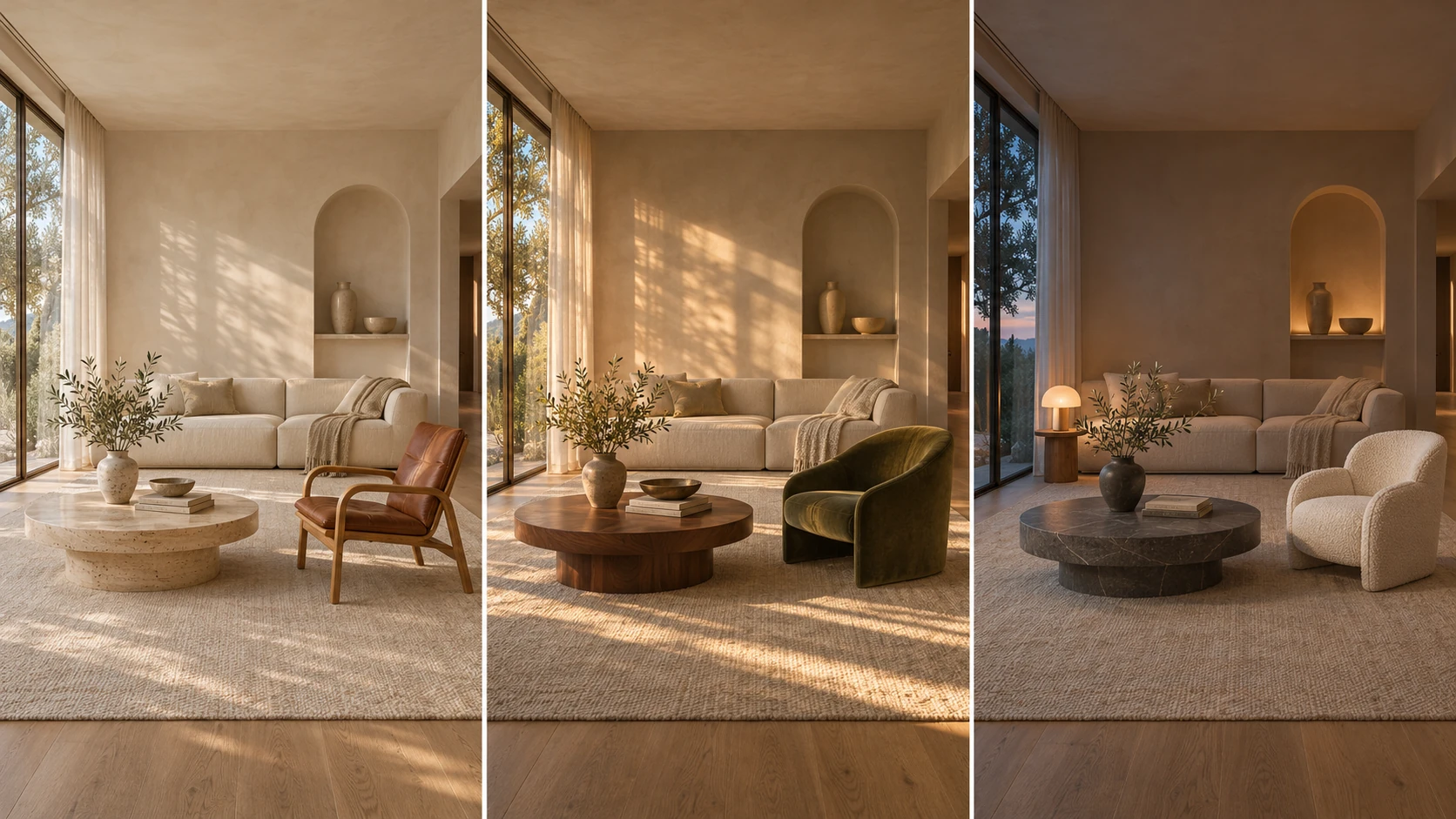
Warm living room with an arched window at left, cream linen sofa, walnut table and olive-green chair

Interiors and Architectural Mood Studies

Explore a room's furniture, finishes and atmosphere from a deliberate viewpoint. Name where the window sits, how the light enters and which materials should work together. Keep the room reference in the brief as you test a different chair, surface or time of day.

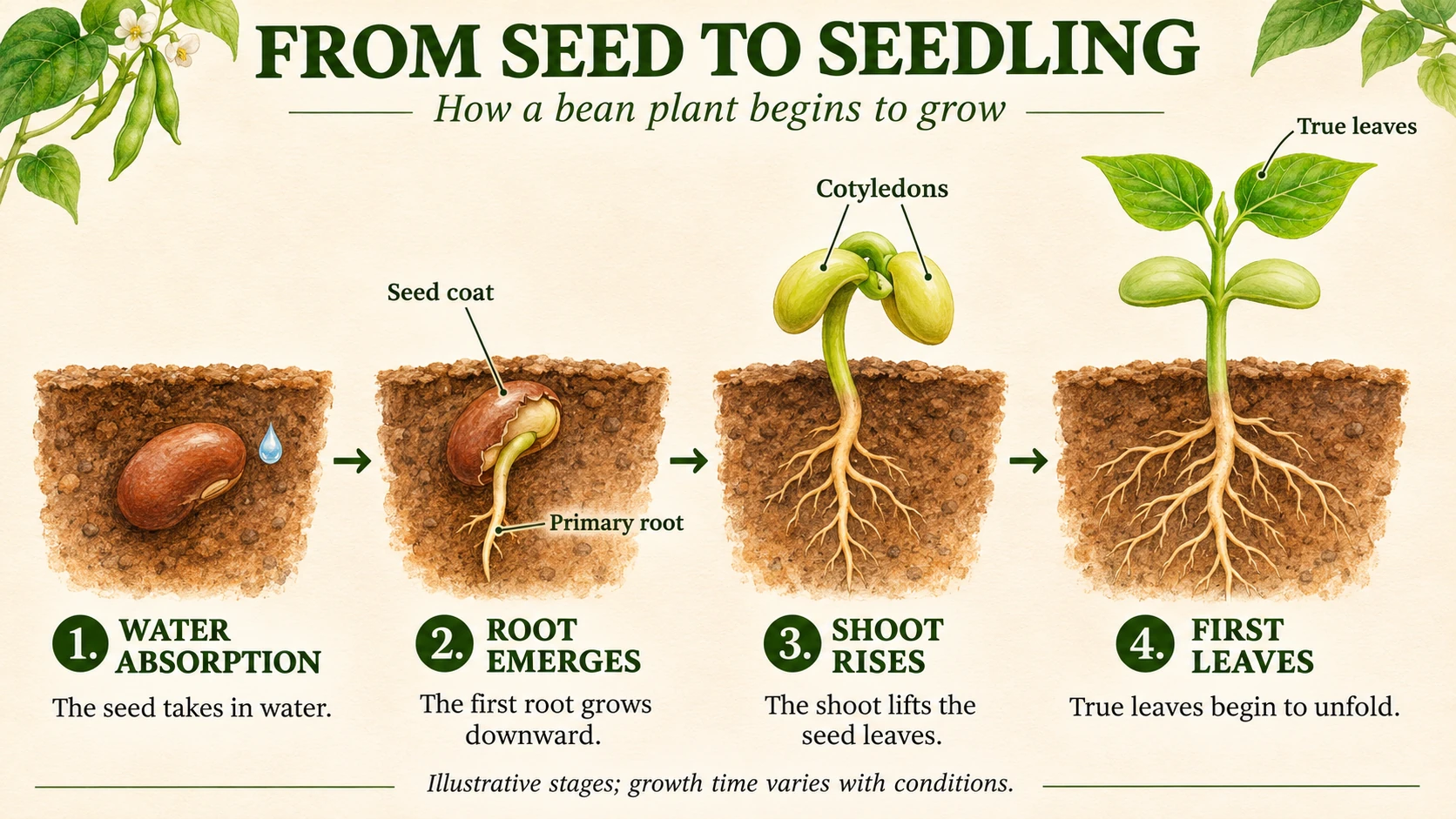
Botanical SEED TO SEEDLING illustration with SEED, ROOT, SHOOT and LEAF stages

Learning Graphics and Visual Explanations

Turn an idea into an illustrated sequence with a clear reading order. Describe each stage, the relationships between elements and the labels to include, from a seed's first root to a young seedling. Supply the facts yourself and review the result before using it as teaching material.

Frequently Asked Questions

Understand the creative workflow, plan a better prompt and choose a useful starting project.

What is Nano Banana Pro 2?

Nano Banana Pro 2 is an AI image generation and editing experience on Nano Banana. Its creative focus brings together broad world knowledge, advanced text and language capabilities, subject consistency and precise direction over an image's composition and appearance.

What is the difference between Nano Banana Pro and Nano Banana Pro 2?

Nano Banana Pro 2 emphasizes richer scene context, more detailed language direction, consistent subjects and a connected creative workflow. Nano Banana Pro is also suitable for generation and editing. Both entries currently offer the same output settings and credit calculation on Nano Banana; use the comparison above to plan a brief and evaluate the results for your project.

How does world knowledge help with image generation?

World knowledge helps connect a subject with its setting, materials and relationships. In a travel image, that might mean the architecture, transport and street layout working together. In an illustrated explanation, it means giving objects and stages meaningful roles. Include the facts and visual details that matter, then review the generated result for accuracy.

Can I create text in different languages inside an image?

You can direct in-image wording for multilingual posters, campaign concepts and other text-led visuals. Quote the exact text, identify the language and describe its position and hierarchy. Keep essential copy concise and review spelling, accents, characters and small labels before using the image.

How can I keep a character or product consistent?

Start with a clear reference and name the details to preserve, such as facial features, hairstyle, clothing, product shape or label layout. Reuse the same reference and description when changing the scene. Compare the images together, because consistency should be checked across the whole sequence rather than assumed from one result.

Can Nano Banana Pro 2 edit an existing image?

Yes. Add your image in the generator's editing workflow and describe a focused change. You might replace a background, adjust the lighting or develop a different material treatment. State which details should stay in place, including the subject, camera angle or composition, and review the surrounding areas after the edit.

What should I put in a Nano Banana Pro 2 prompt?

Explain the purpose of the image, then describe the subject, setting, composition, style and lighting. Give each reference a specific role. Quote any text that should appear, identify its language and placement, and finish with the details to preserve or avoid. A focused brief is easier to refine than a long list of unrelated adjectives.

Which resolution and aspect ratio should I choose?

The generator offers 1K, 2K and 4K resolution options with available aspect ratios. Choose a shape that matches the destination, such as a portrait poster, square product image or landscape presentation. Review a draft before spending more credits on a larger version, and check the displayed settings before generating.

What are useful applications for Nano Banana Pro 2?

Useful starting points include product campaign concepts, localized posters, character-led editorial sequences, travel imagery, interior mood studies and illustrated explanations. A clear subject and a specific communication goal make it easier to judge whether the result fits the project.

How do I try Nano Banana Pro 2 on Nano Banana?

Use the Create with Nano Banana Pro 2 button to open the image generator with the model selected. Enter a prompt or add image references, choose the available settings and review the displayed credit cost. Generate, refine and download the image from your creations.

Try Nano Banana Pro 2 on Nano Banana Now!

Bring the setting, subject, message and visual style together in one brief. Open Nano Banana Pro 2 to develop a product concept, tell a character's story or give an idea a form people can understand.

Try for Free